The Embrilliance Library
 Clicking the Library tool found on the Design
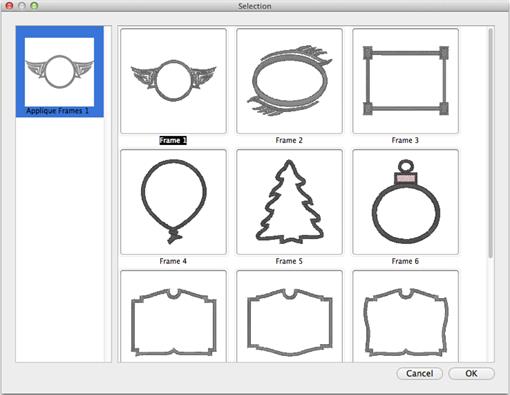
Toolbar will display the selection dialog. The dialog has a scrolling list on
the left that shows the collections. Select a collection from the list on the
left and designs in that category display in the selection area on the right.
Select a design and click OK. The design will be placed in the center of the
Design Page.
Clicking the Library tool found on the Design
Toolbar will display the selection dialog. The dialog has a scrolling list on
the left that shows the collections. Select a collection from the list on the
left and designs in that category display in the selection area on the right.
Select a design and click OK. The design will be placed in the center of the
Design Page.

Thread Brand and Color:
The thread brand and color are changed just as described in Color section.