Measure Size and Counts (Stitches and Colors)
 The Measure button on the Main
toolbar will set the program in a mode, which allows you to measure items in the
Main View.
The Measure button on the Main
toolbar will set the program in a mode, which allows you to measure items in the
Main View.
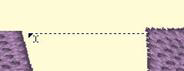
As you drag the cursor, you are measuring the distance you’ve dragged. This distance is displayed on the status bar:

To cancel measuring, click again on the Measure button in the toolbar, or click the Selection Tool (arrow) in the toolbar. Items that are selected also have their size, stitch count and color count shown in the status bar. If nothing is selected, then the size and counts for the entire Design Page will be shown.
