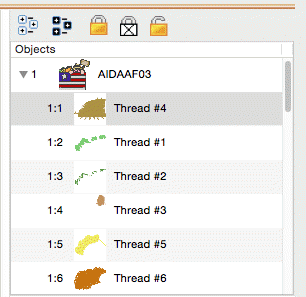
 Using the Objects view you
can select any number of Designs or Objects, regardless of whether or not they
are locked, hidden or grouped. This allows for editing of objects or designs
without ungrouping. For example, the following design is all grouped so that it
can be moved around the page as a single design. However, you may want to select
just the second color to change it, re-sequence it or even delete it.
Using the Objects view you
can select any number of Designs or Objects, regardless of whether or not they
are locked, hidden or grouped. This allows for editing of objects or designs
without ungrouping. For example, the following design is all grouped so that it
can be moved around the page as a single design. However, you may want to select
just the second color to change it, re-sequence it or even delete it.

The toolbar on the Objects view also has selection options including ‘Select All’ which is the first button on the left. If the Main view is active you can also type Ctrl-A to select all or you can use the Edit menu for this option too.