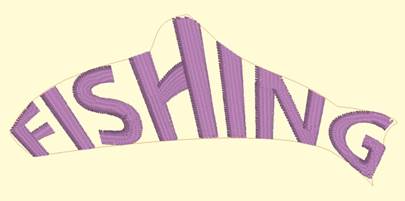
Envelopes can yield effects from simple placement to re-shaping of the lettering.
The options for envelopes are: –c (center), -l (left), -r (right), -m (middle), -t (top), -b (bottom).
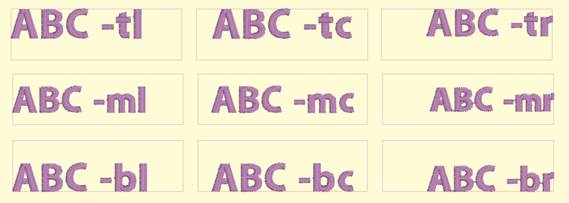
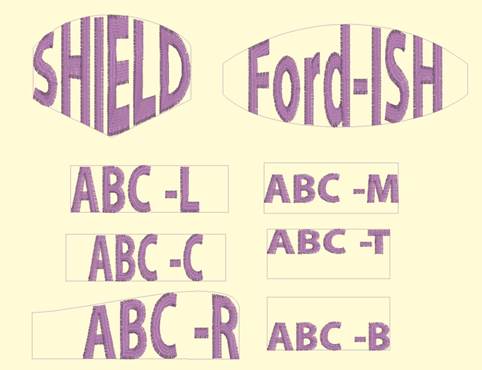
These options control placement of lettering within the template. If no options are specified, the template will stretch the lettering design to fill the envelope.
As with namedrop, envelope shapes can be named using the options along with a number, ex: “envelope –cm 1” will cause “letters 1” to be placed in the center horizontally and middle vertically. If the letter name specifies a different option, that will override the template name.
Envelopes have a unique ability: They allow editing as visually normal letters when selected. To see the lettering in the envelope, click off the letters (de-select them).
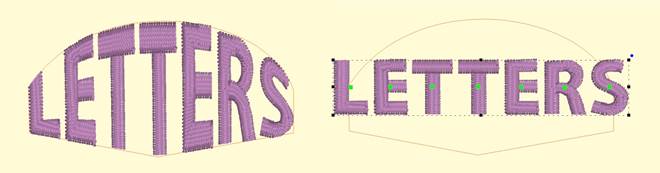
If you have StitchArtist, information about drawing envelopes can be found in the ‘Drawing Lettering Templates’ section of this manual.